
End of the quarter, and you need to know where your form submissions came from. Did the February blog post still pull leads? Did the Facebook ad earn its keep?
You open Gravity Forms, hit Export Entries, drop the CSV into a spreadsheet, and an hour later you’re knee-deep in pivot tables answering questions a chart could answer in seconds.
Gravity Forms Referral Source Tracking has captured this data on every entry since version 1.0. UTM parameters, referrer URLs, click IDs, the original traffic source. Until now, seeing it meant exporting CSVs and building pivot tables.
1.4.0 changes that. The release adds a Reports tab, an optional email digest, and consolidates settings under Forms → Settings.
Table of Contents
The New Reports tab
Open Forms → Settings → Referral Tracking → Reports. The whole tab loads on first visit. No setup, no fields to map. The plugin already has the data. The Reports tab is the first place to see it.
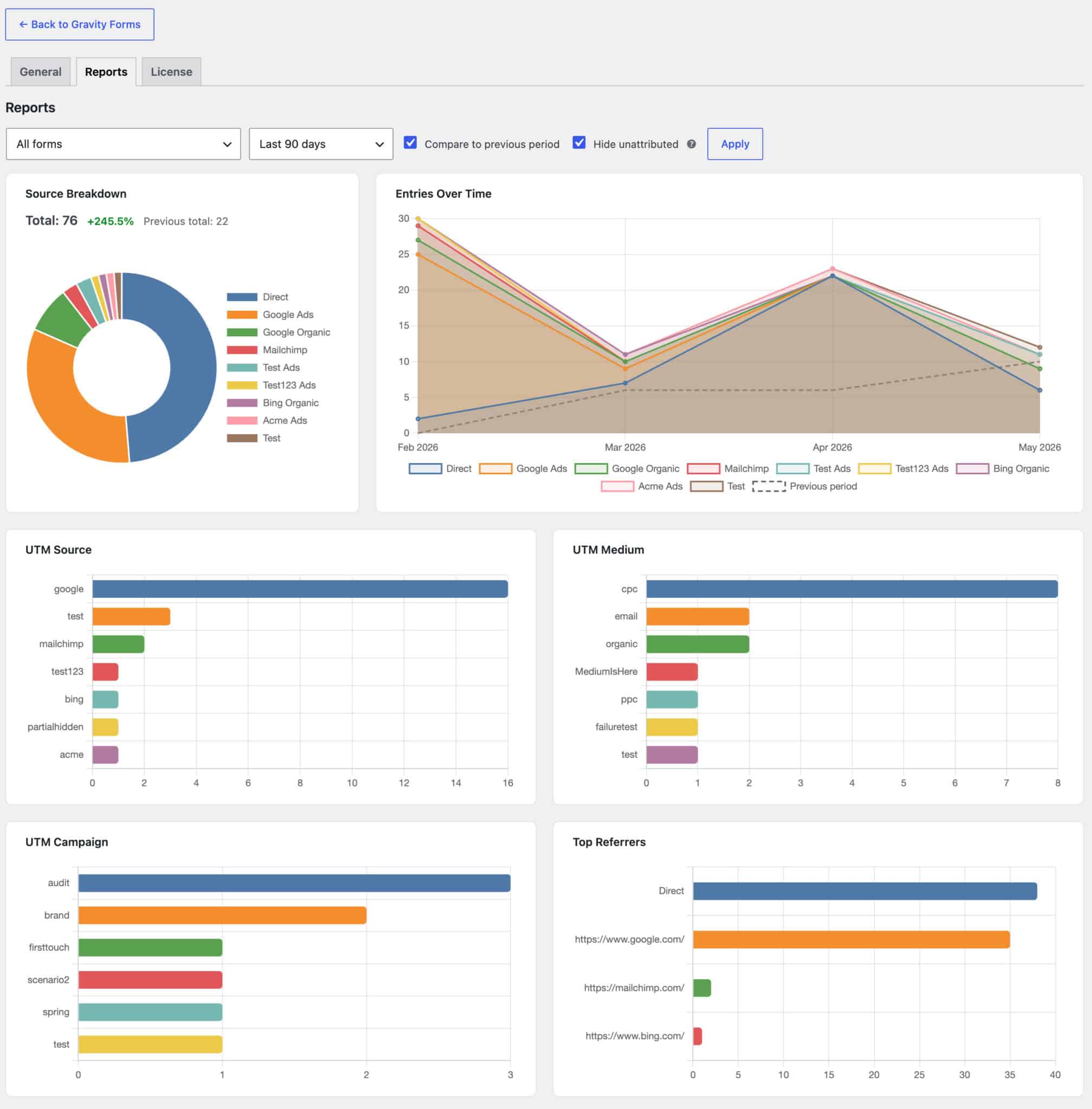
At the top sits a source breakdown chart and an entries-over-time stacked line, both tied to the same date range. The breakdown answers who is sending you leads. The time series answers whether that’s changing. Below them are four cards listing top contributors by entry count: UTM Source, UTM Medium, UTM Campaign, and Top Referrers.
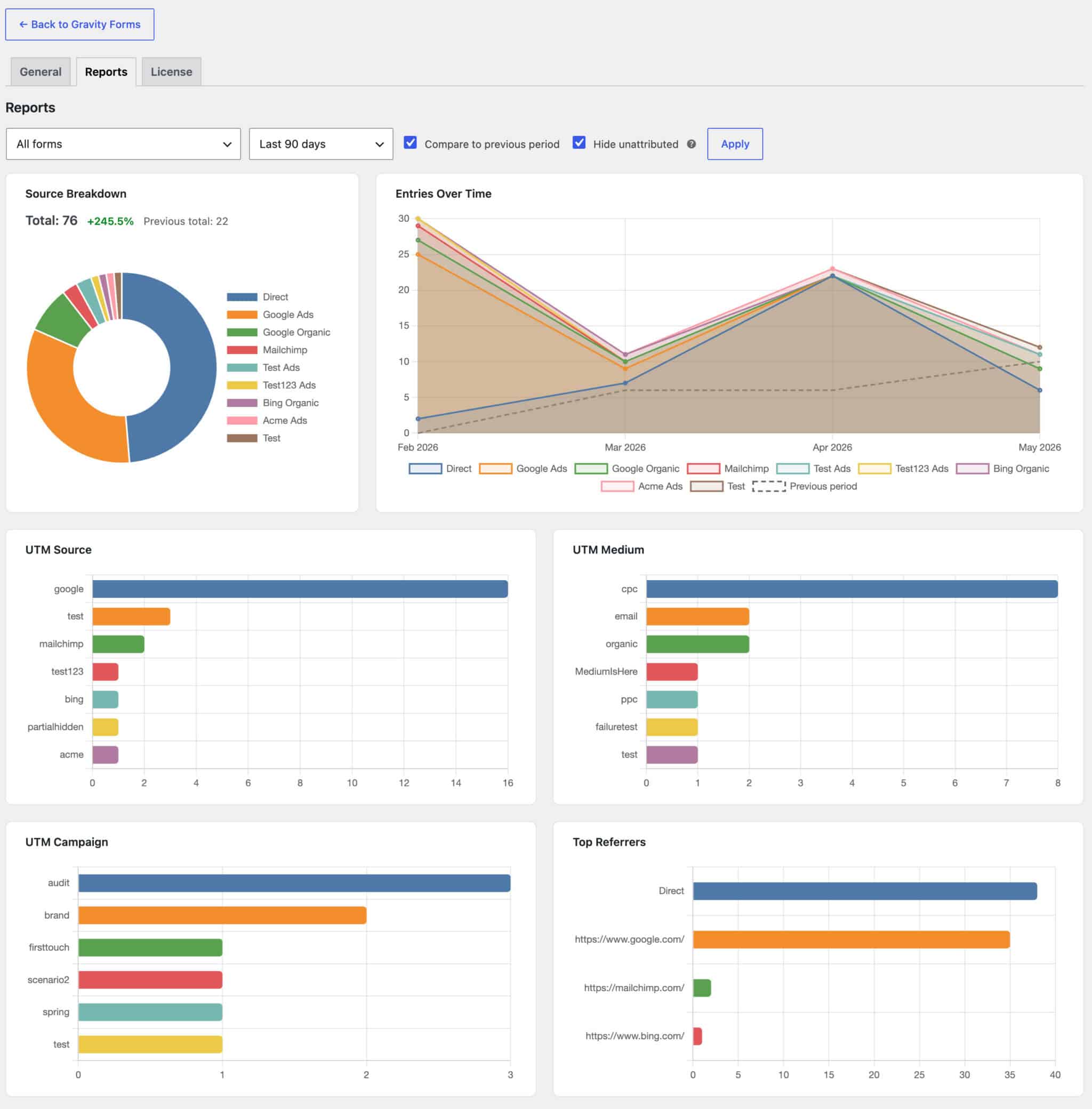
The filter row controls the whole tab. Scope to all forms or a single form. Pick a date range from Last 7, 30, 90, or 365 days. Toggle Compare to previous period to overlay the prior window as a dashed line with a percentage delta. Toggle Hide unattributed sources to drop the Direct and Unknown rows and focus on campaigns that came from somewhere.

Two small touches we wanted ourselves while building this:
- Daily date labels follow your site’s Date Format setting. A US-format site reads “May 14”; an ISO-format site reads “2026-05-14.”
- The 90-day and 12-month ranges bucket by month with thinned-out ticks, so the x-axis stays readable instead of collapsing into a wall of dates.
Filter selections also persist per WordPress user. The marketer who lives in 90-day-with-compare won’t have to reset anything between visits.
Get the numbers by email
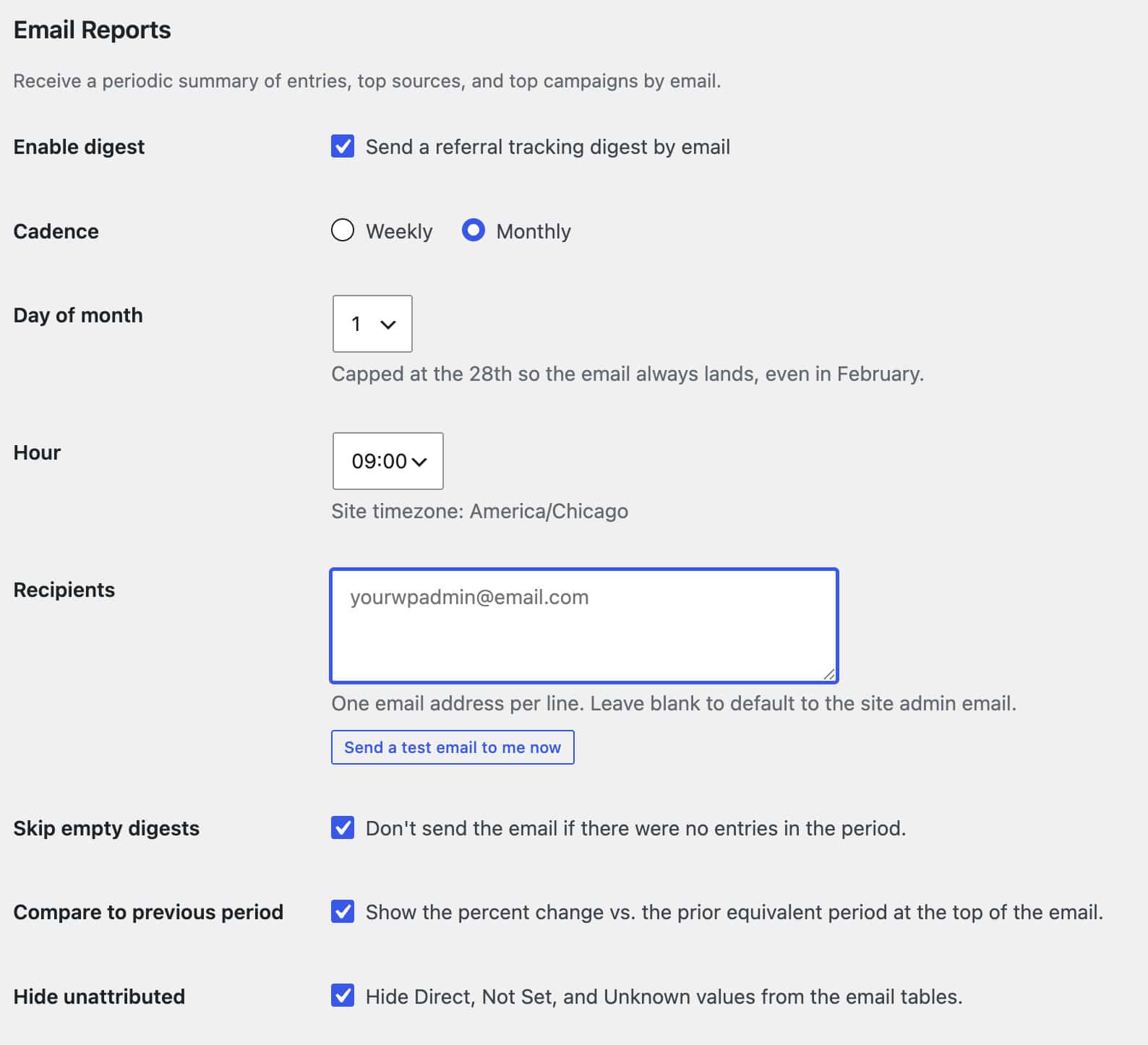
Open the General tab and scroll to the Email Reports section. Tick Enable digest, choose Weekly or Monthly, pick the day and hour, and save. The email mirrors the Reports tab. Total entries for the period, source breakdown, top UTM sources and campaigns, top referrers, plus links back into the live report for anyone who wants to drill in.
A few details worth knowing:
- Leave Recipients blank and the digest goes to the site’s admin email at send time. Change
admin_emaillater and the digest follows automatically. - The Compare to previous period and Hide unattributed toggles from the Reports tab apply here too. The email reflects whatever version of the data your team prefers.
- Send a test email to me now delivers a one-off preview to the current admin user so you can verify formatting and delivery before any scheduled run.
Settings, where you’d actually look for them
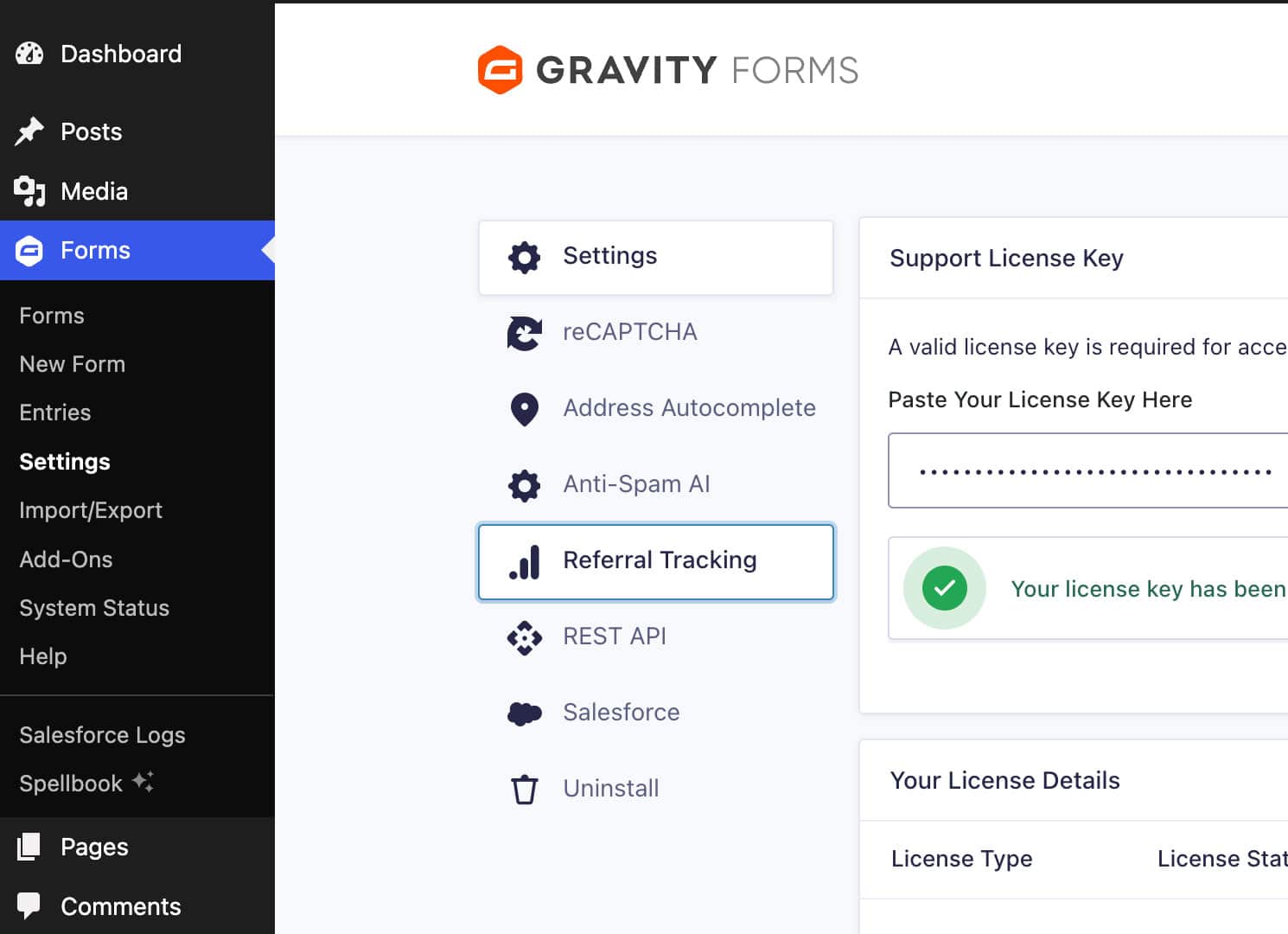
Settings moved. They’re under Forms → Settings → Referral Tracking now, alongside your other Gravity Forms add-ons. The same page hosts the General, Reports, and License tabs.
Existing bookmarks to the old standalone page at admin.php?page=pb-gforms-referral-tracking still work. That page was always the real settings UI, and the new Gravity Forms tab redirects to it. Nobody’s bookmarks break.
A few smaller things worth knowing
A handful of polish items went in alongside the headline features:
- WP Rocket “Delay JavaScript Execution” compatibility fix. On sites that defer plugin scripts past first input, the tracker’s inline configuration sometimes ran after the tracker initialized, leaving the hidden fields empty. Tracking values now populate correctly in that scenario.
- Custom Sources settings table now fits the admin column at narrower viewport widths, with horizontal scroll as a fallback on phones.
- Multisite uninstall cleans every subsite individually, honoring each site’s own “Remove Data on Uninstall” preference and clearing per-site scheduled events.
- Terminology is now consistent with Gravity Forms: admin labels, ARIA descriptions, and the digest body say “entries” instead of “submissions.”
- Minimum WordPress 6.5. The plugin now requires WP 6.5 or later, and the WP 6.7+ early-textdomain notice is silenced on plugin load.
- For developers: the new
pb_gforms_rt_invalidate_debouncefilter tunes the Reports cache invalidation window if a high-volume site needs fresher numbers than the 60-second default.
Update and take a look
Update through your WordPress dashboard like any other plugin. If you’ve been collecting referral data for a while, open Reports first. The history was already there.
The full feature list, FAQs, and developer hooks live on the Gravity Forms Referral Tracking documentation page.
If you use WP Forms instead of Gravity Forms, there’s a WP Forms version of Referral Source Tracking that captures the same attribution data on every entry. The Reports tab and email digest are coming to the WP Forms version in a future release.